Every Manycrawl table starts with raw input data — URLs, names, queries, or whatever you want to enrich. Click + New table in the top right of the dashboard and you'll see three options: Import CSV, Add data manually, or Empty table. Each is suited to a different starting point. Here's when to use each.
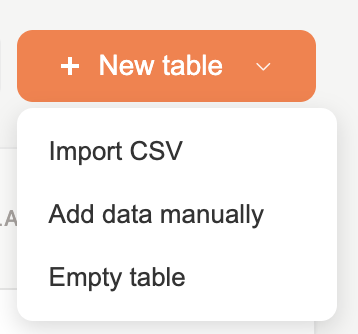
The right choice when you already have data in a spreadsheet — a contact list, a lead export from your CRM, a Google Sheet, or any tabular file.
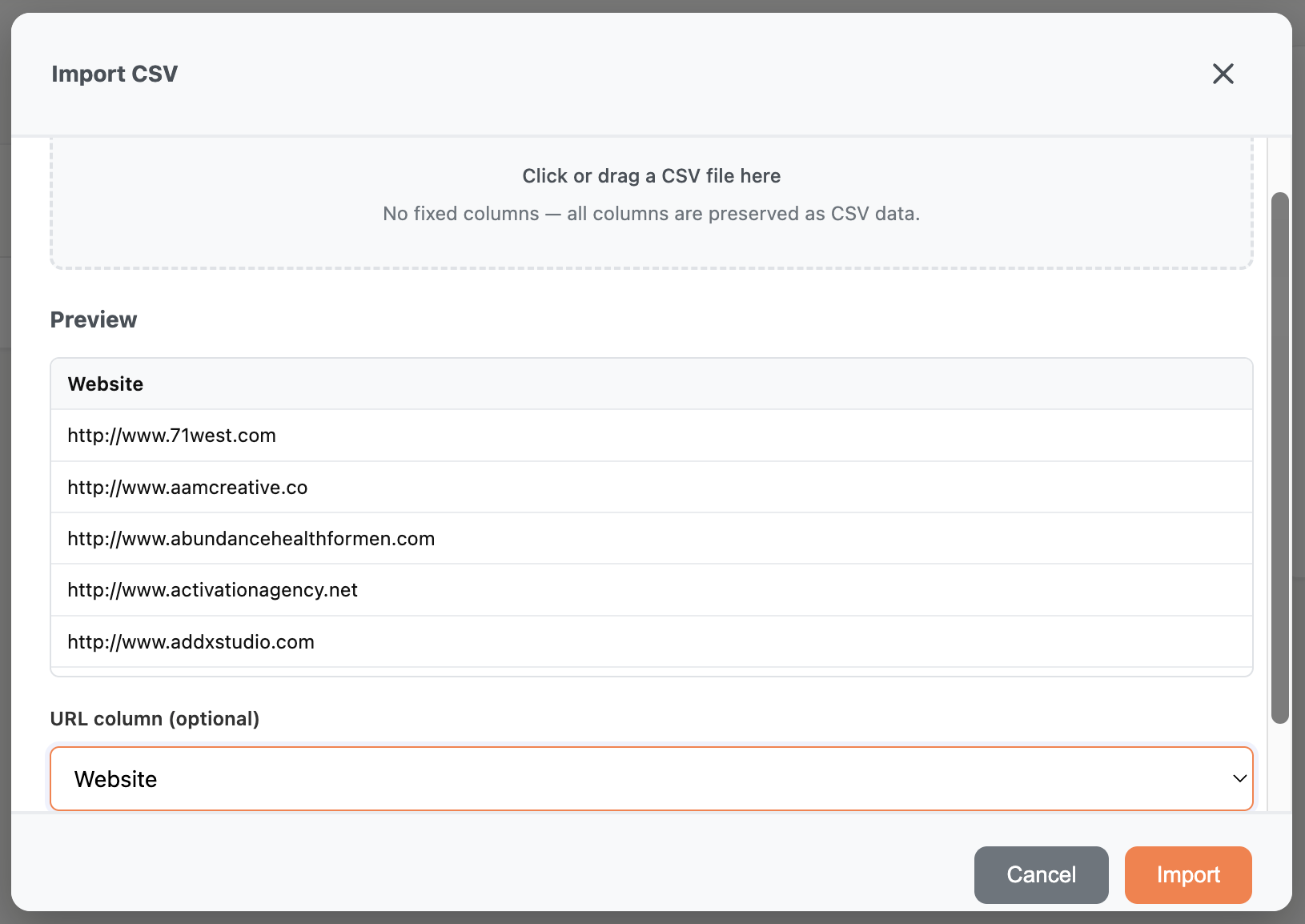
Steps:
Click + New table → Import CSV
Drag your CSV file into the upload zone, or click to browse for it
Manycrawl shows a preview of the imported data with all columns intact
Pick a URL column (optional) — if your CSV has a column containing URLs that you plan to run Scrape or any agent enrichment on, select it here. Otherwise leave it as None and Manycrawl will use the row index as the row identifier.
Click Import
Your table opens with every column from the CSV preserved as-is. No fixed schema — whatever columns are in the file are the columns you'll see in Manycrawl, ready to enrich further.
When to use Import CSV:
You have an existing prospect list to enrich
You're starting from a CRM export
You've collected data in Google Sheets, Airtable, or another tool
You have multi-column data (not just URLs) you want to bring in
A note on the URL column setting: the dropdown is optional but worth using if you plan to chain Scrape, Crawl, or any agent enrichment downstream. It tells Manycrawl which column to default to when those enrichments ask for a URL source — saves you a few clicks per column later.
The right choice when you have a list of URLs to enrich but no formal CSV — pasted from a doc, copied from another tab, or typed in directly.
Steps:
Click + New table → Add data manually
In the Paste URLs (one per line) field, paste or type your URLs — one per line
Click Add to table
Manycrawl creates a new table with one row per URL. The http:// or https:// prefixes are optional — Manycrawl adds them automatically if missing. So all of these work:
example.com
www.example.org/page
https://example.net
…and all three become normalized URLs in your table, ready for enrichment.
When to use Add data manually:
You have a quick list of URLs to look up — say, 10 competitor sites
You're testing an enrichment workflow on a small batch before scaling
The URLs came from somewhere informal (a chat, an email, a memory dump)
You don't have a CSV and don't want to make one
The right choice when you don't have a starting list at all — you'll either generate one inside Manycrawl (using Search Engine or Places search), or type/paste data into the cells directly as you go.
Steps:
Click + New table → Empty table
The table opens with a blank grid
Type or paste data directly into cells — Manycrawl works like a spreadsheet
From here, you have two natural workflows:
Generate rows with an enrichment. Add a Search Engine or Places search column as your first enrichment. Those two enrichments create new rows from queries — perfect for "I want to find leads but don't have a list yet." A few queries, hit run, and your table populates itself with results.
Type or paste freely. You can paste a single value, a list, or even multi-column data copied from another spreadsheet — Manycrawl behaves like a normal grid. Useful for tiny ad-hoc enrichment jobs, or for building up a list manually one row at a time.
When to use Empty table:
You're building a lead list from scratch (Search Engine or Places search as the seed)
You're doing a one-off enrichment that doesn't justify a CSV
You want a blank canvas to experiment with
A quick decision tree:
I have a CSV or spreadsheet already → Import CSV
I have a list of URLs but no file → Add data manually
I want to find leads from scratch with a search → Empty table, then add a Search Engine or Places search column
I just want to try one URL or a few → Add data manually with one URL per line
CSV imports preserve every column. Don't strip columns out of your CSV before importing thinking Manycrawl needs a fixed format — the more context columns you bring in, the more you can reference them later in {Column Name} placeholders for AI prompts and chained enrichments.
You can always add more rows later. Whichever option you pick at table creation, you can paste additional URLs into existing cells, add rows manually, or generate new rows with Search Engine / Places search at any time.
There's no row limit on import, but watch action budgets. A CSV with 10,000 rows imports fine, but enriching 10,000 rows with a Scrape column uses 10,000 actions. Free plan users get 500 actions per month — paid plans get unlimited. Plan accordingly.
Multiple tables are free. You can create as many tables as you need. Keep separate tables for separate campaigns or experiments — each one has its own enrichment columns and its own data.