
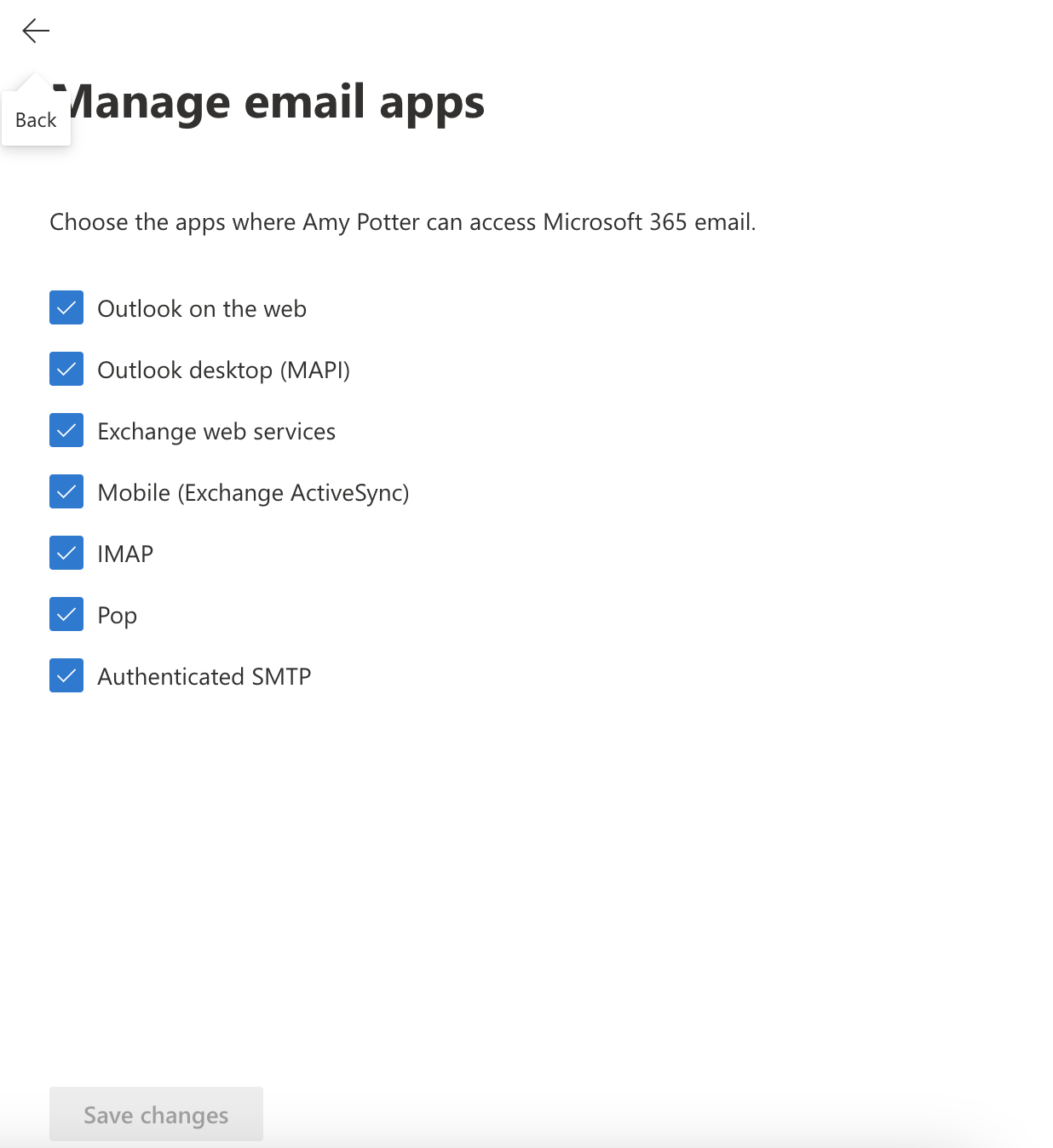
If you are facing issues when connecting Microsoft 365 senders it's probably the issue with settings inside Microsoft 365 admin console. Senders need to have Authenticated SMTP and IMAP enabled.
Enable Authenticated SMTP and IMAP
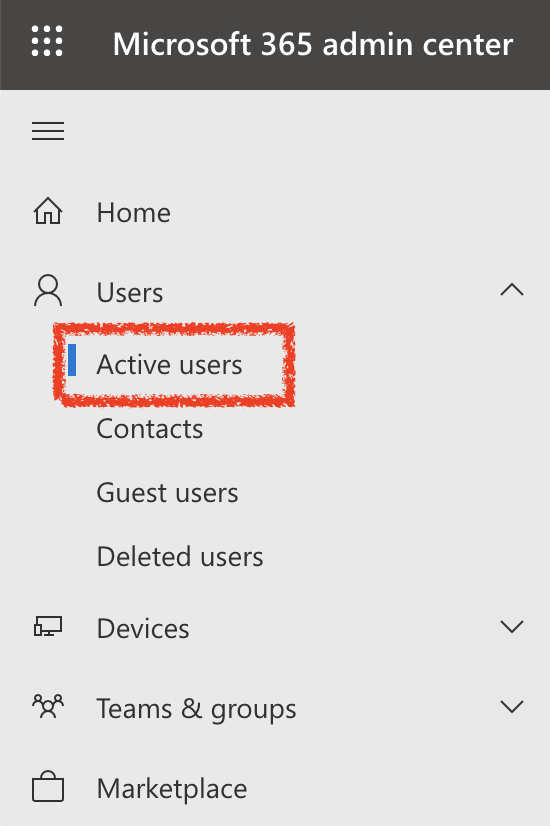
Open the Microsoft 365 admin center and go to > Active users.
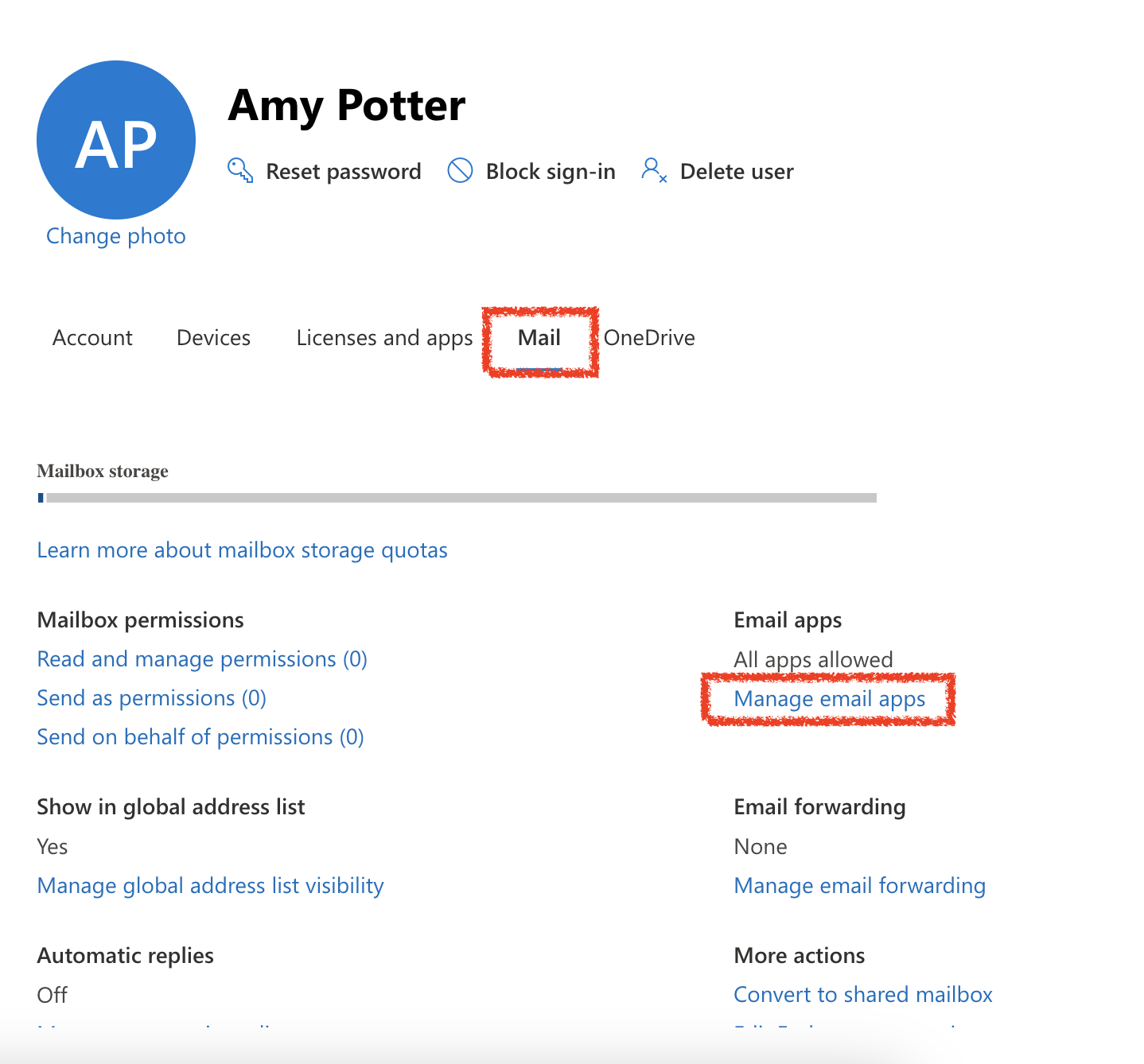
Select the user, and in the flyout that appears, select Mail > Email apps > Manage email apps.
Check all boxes and click Save changes
GoDaddy users follow this guide.
After you enable Authenticated SMTP and IMAP wait 30 minutes and reconnect the sender. If reconnection is not successful, remove the sender from Manyreach and connect it again.