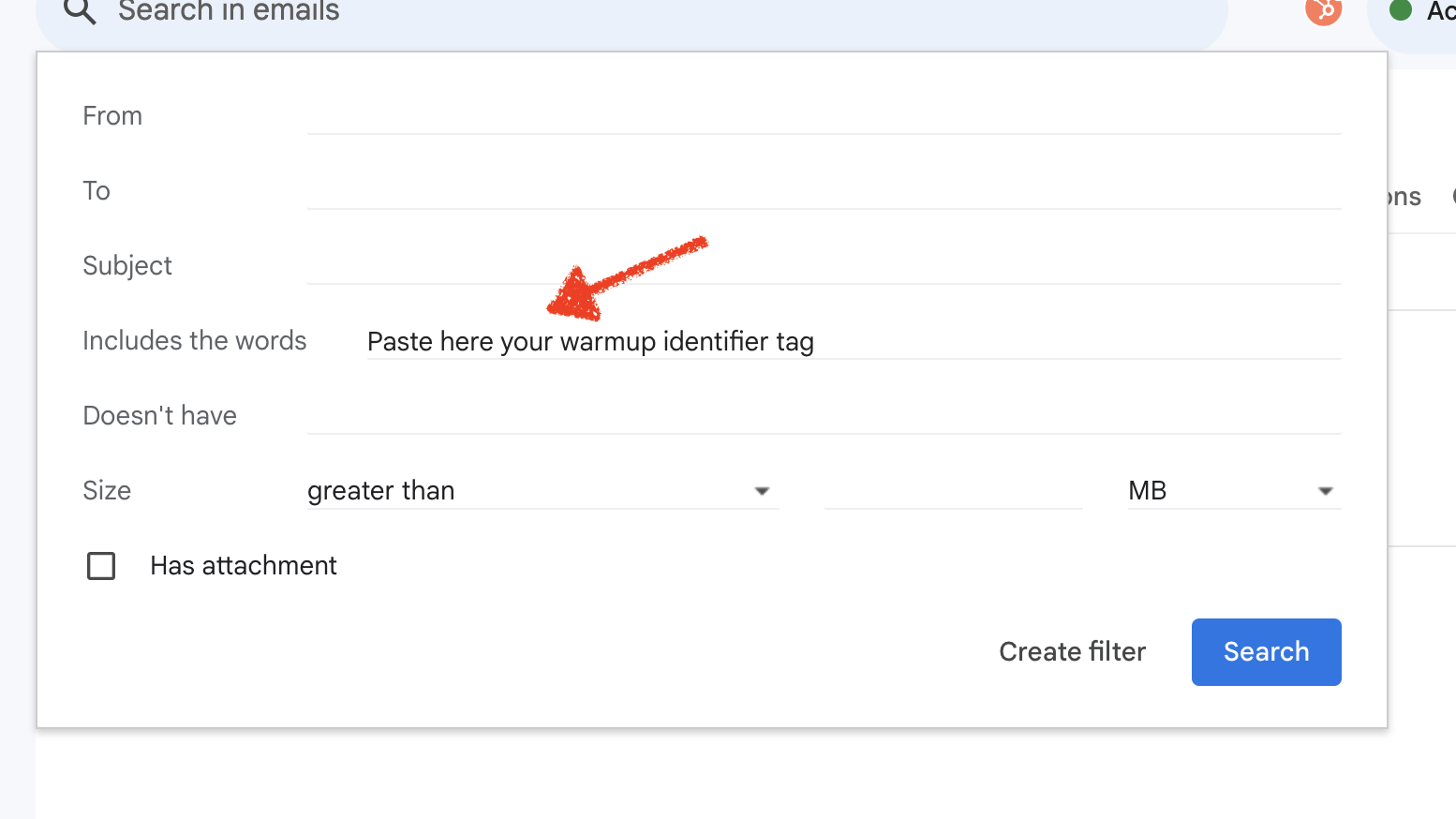
Open the sender settings for any of your accounts and copy your Warmup Identifier Tag
Create a new folder/label called "Warmup" in your mail account with your ESP.
Create a filter for any email that hits your inbox AND contains the Warmup Identifier Tag in the body to be marked as read and move to archive.
Gmail Filter Example
Create a folder called "Warmup"
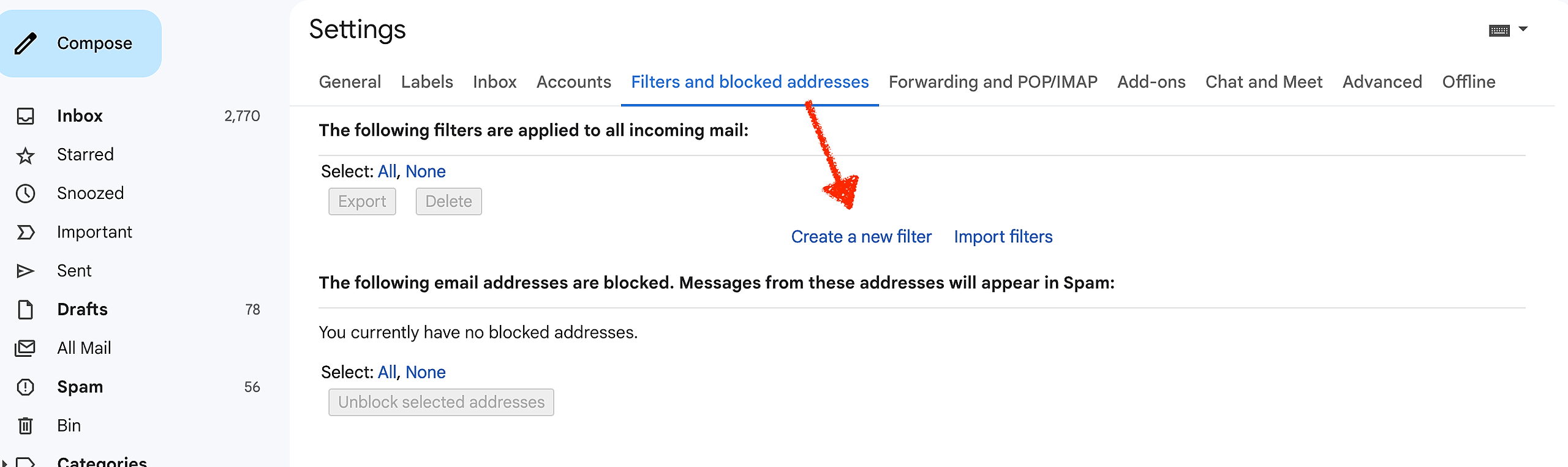
Create a filter:
"Includes the words" is where you put your Warmup Identifier Tag.
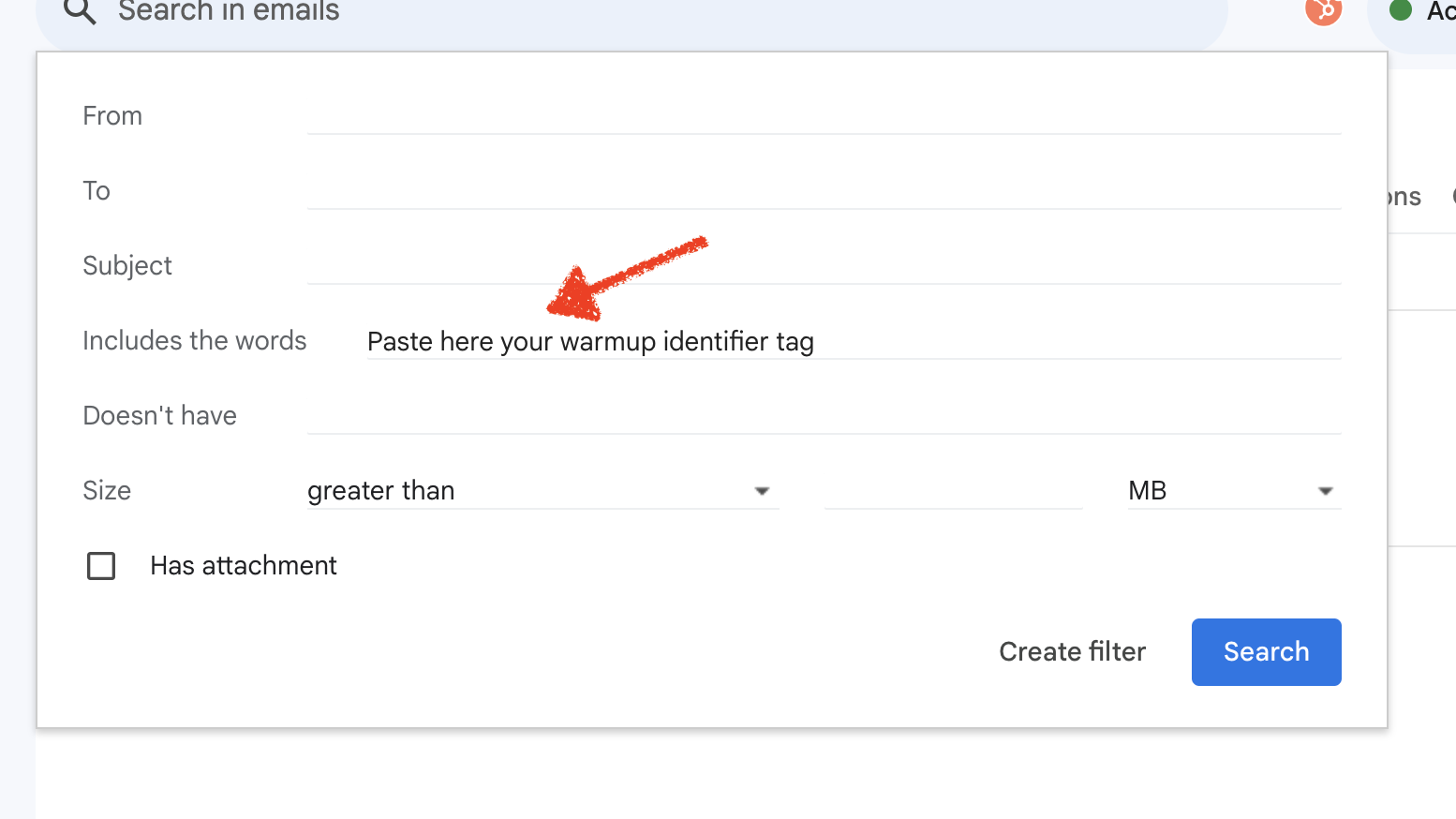
Click "Create filter" for the settings to open. Then check the marked checkbox and click "Create a filter"