Help center
Go to Manyreach
All collections
Connecting Email Accounts (Senders)
How to move sender to a different Workspace or Clientspace?
How to move sender to a different Workspace or Clientspace?
This guide will show you how to move senders from your main account to any Workspace or Clientspace without the need of reconnecting them.
Copy for LLM
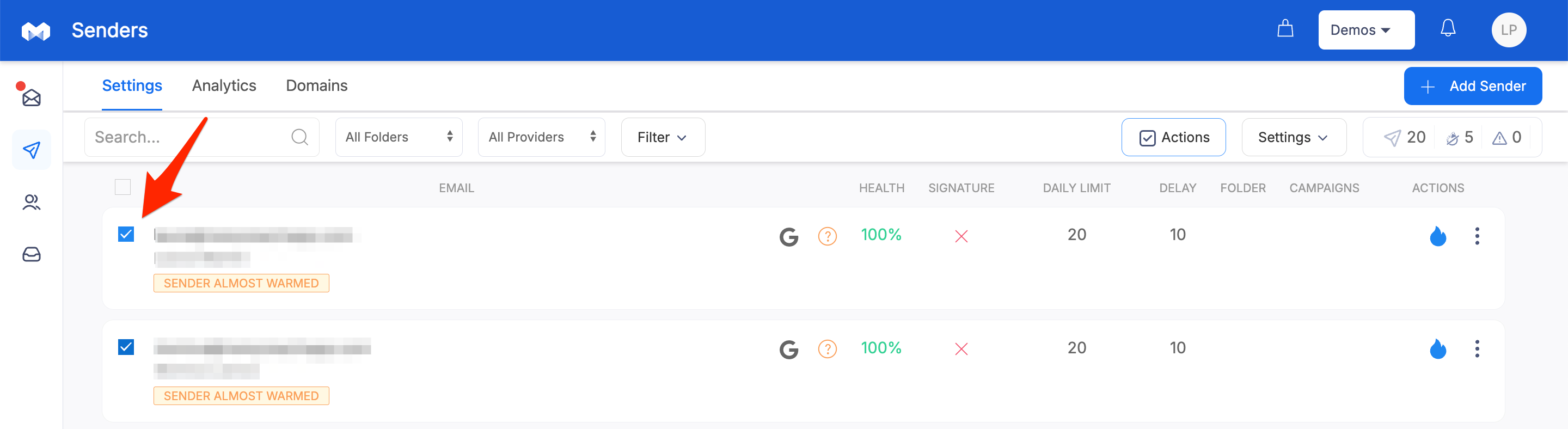
1. Go to the Senders page of your main account
2. Select Senders you’d want to move to a Workspace or Clientspace
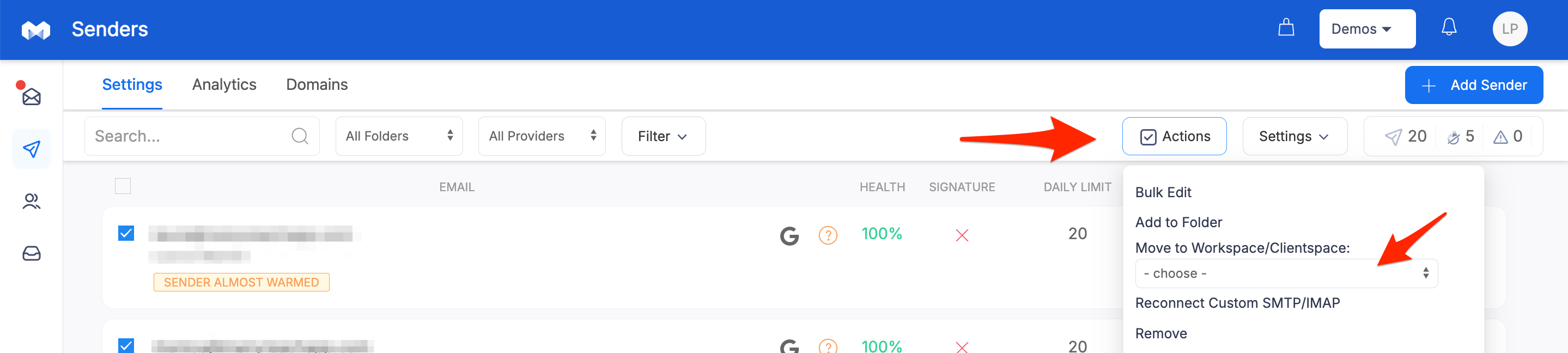
3. Select the desired Workspace or Clientspace under the Actions menu
Did this answer your question?
😞
😐
😁