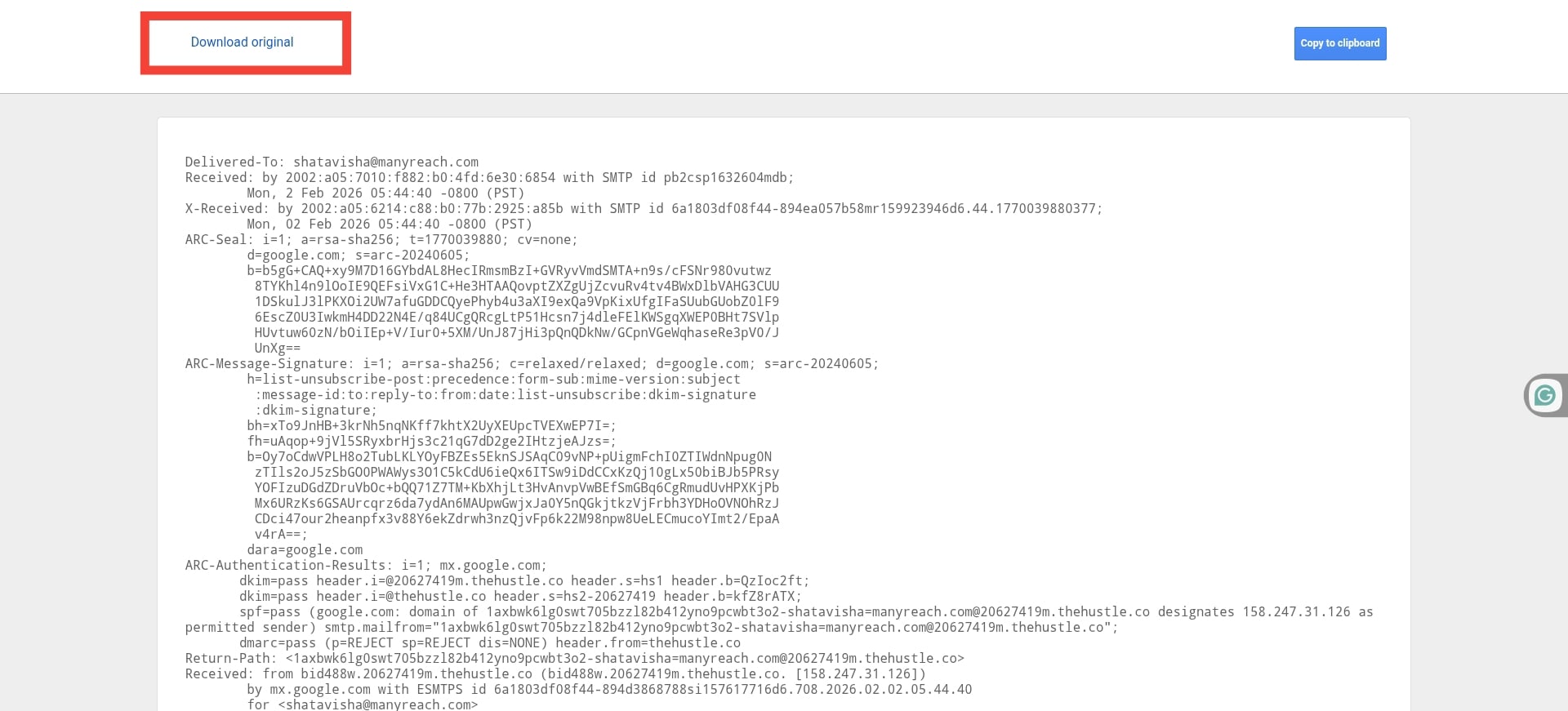
If you want to copy the “Show Original” option in Gmail, read this step-by-step guide.
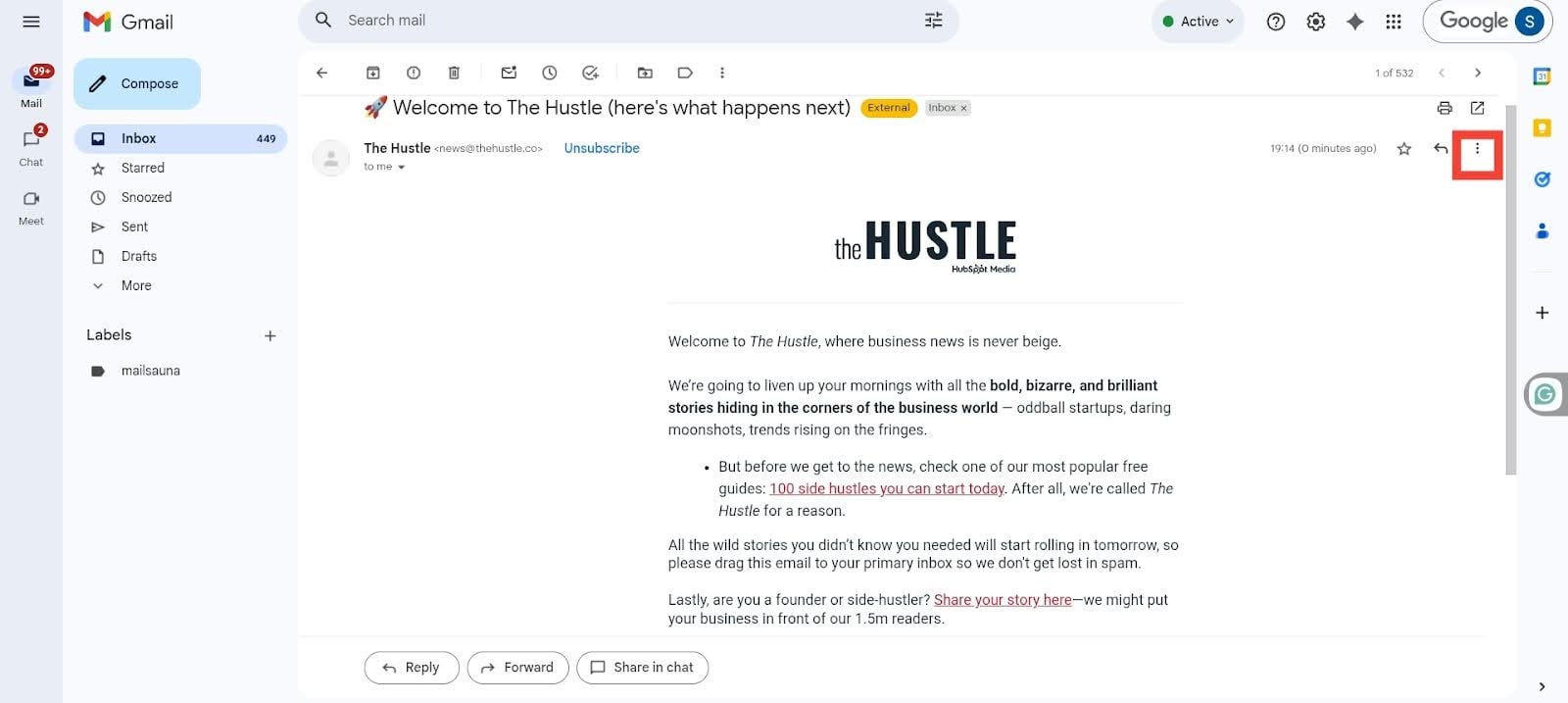
1. Open your Gmail inbox, and go to the email you want to copy the “Show Original” code for.
2. Once you’ve opened the email, click the three dots on the top right of the screen.
3. Now, click the “Show Original” option from the menu.
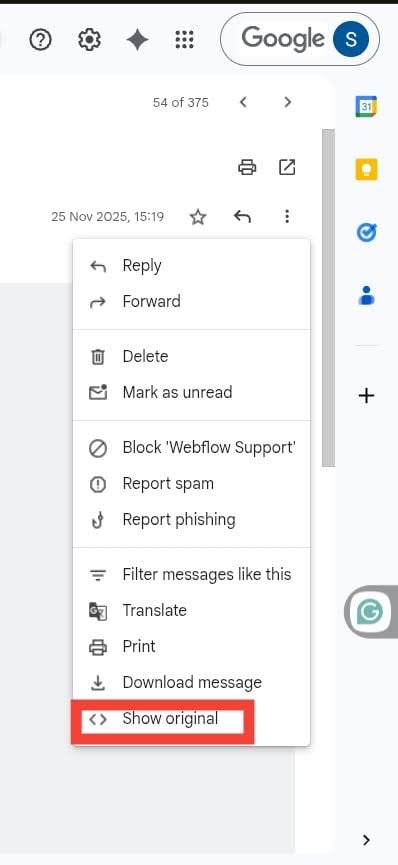
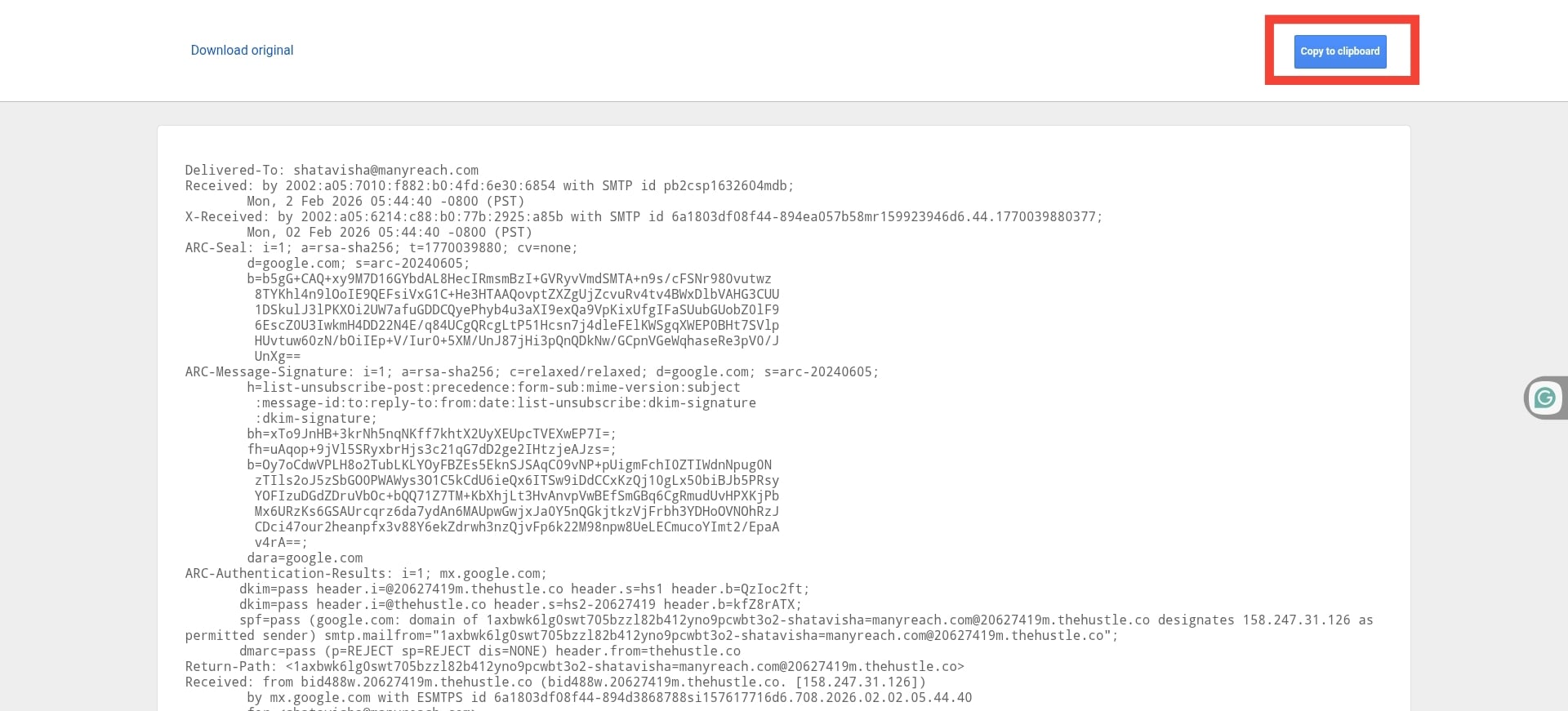
Now, click on the “Show Original” option, and it will take you to a re-directed tab. On this tab, click the “Copy to Clipboard” option, and you’re done.
You can also download the original version, by clicking the “Download Original” option on the left.