
Limiting ESP matching is not a difficult task. Read this article to find out how to limit ESP matching in your Manyreach campaign.
Why Should You Limit ESP Matching?
The purpose of limiting ESP matching is to achieve specific deliverability outcomes. Limiting ESP matching helps you keep your outreach natural and trustworthy.
When you send emails only between the same email providers, you reduce the chances of spam filtering and improve deliverability. It also ensures consistent sending behavior, especially when you use multiple senders across different ESPs.
It prevents unusual cross-provider sending patterns that can trigger spam flags. Overall, it helps protect your sender reputation and keeps your campaigns running smoothly.
Limiting ESP Matching in Your Manyreach Campaign
Follow the steps below to understand how to limit ESP Matching in your Manyreach campaign:
1. Go to your Manyreach dashboard and select your email campaign.
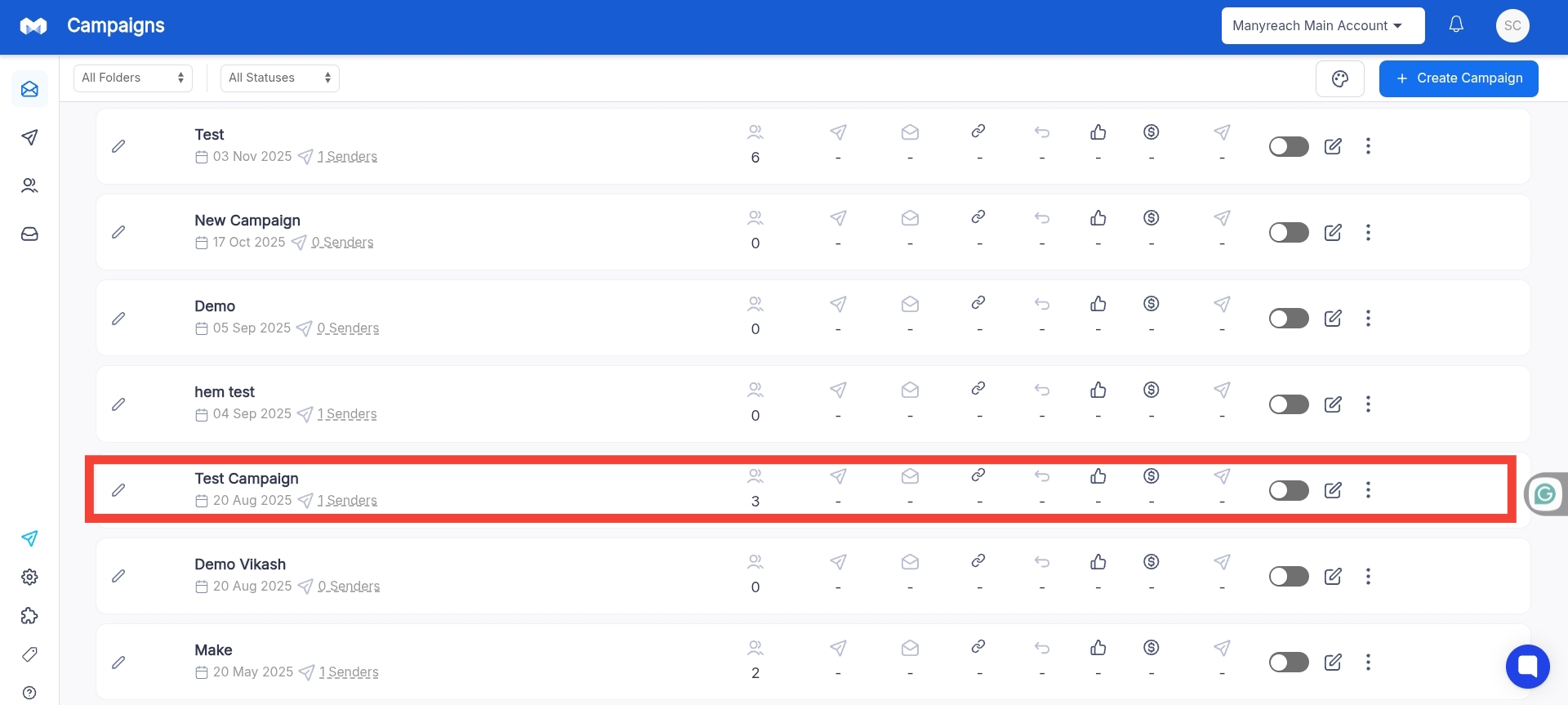
2. When you are on your campaign, write your email content, and go straight to your campaign settings.

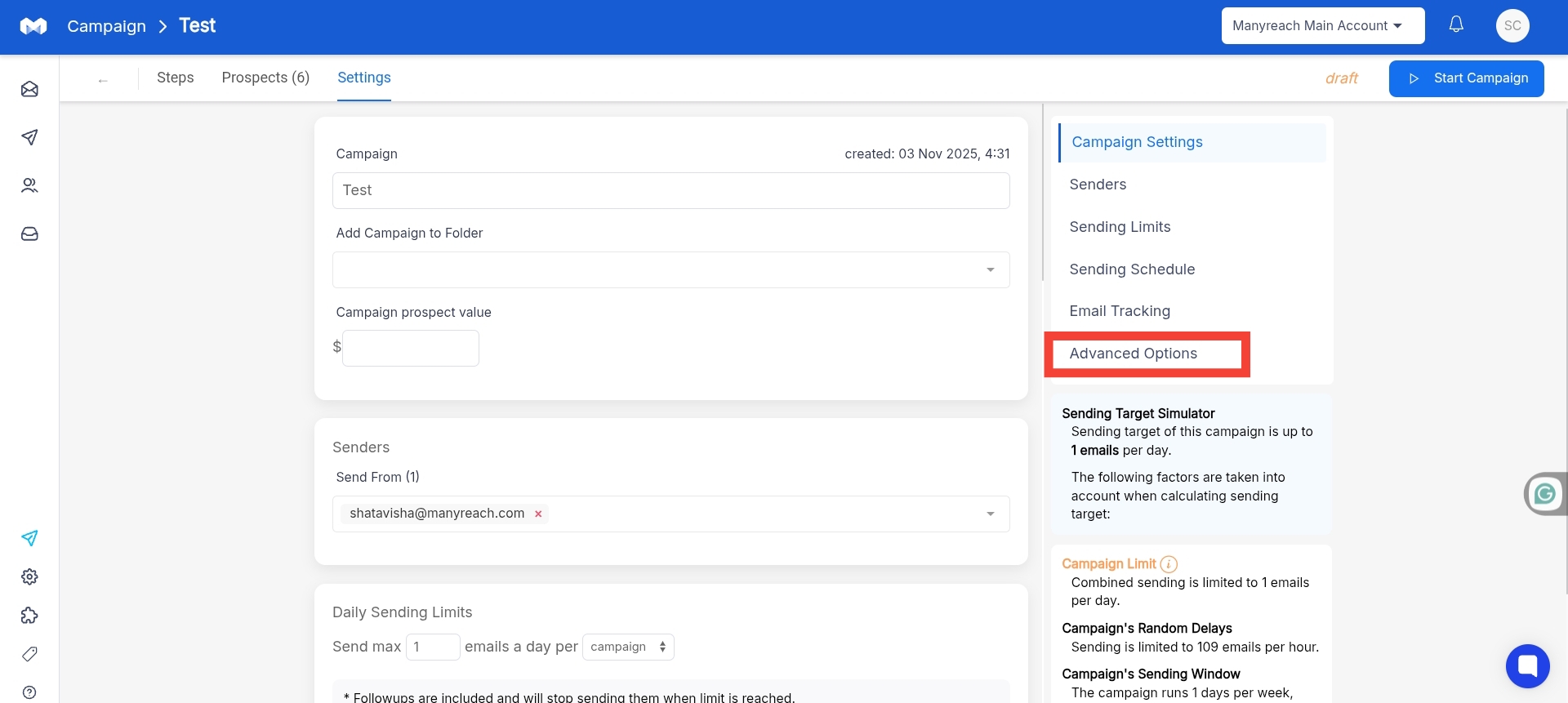
3. Once you’re in the Settings, find the “Advanced Settings” option, and click on it.
4. Here you’ll find the “Limit ESP Providers”, just turn on that option, and you’ll be good to go.
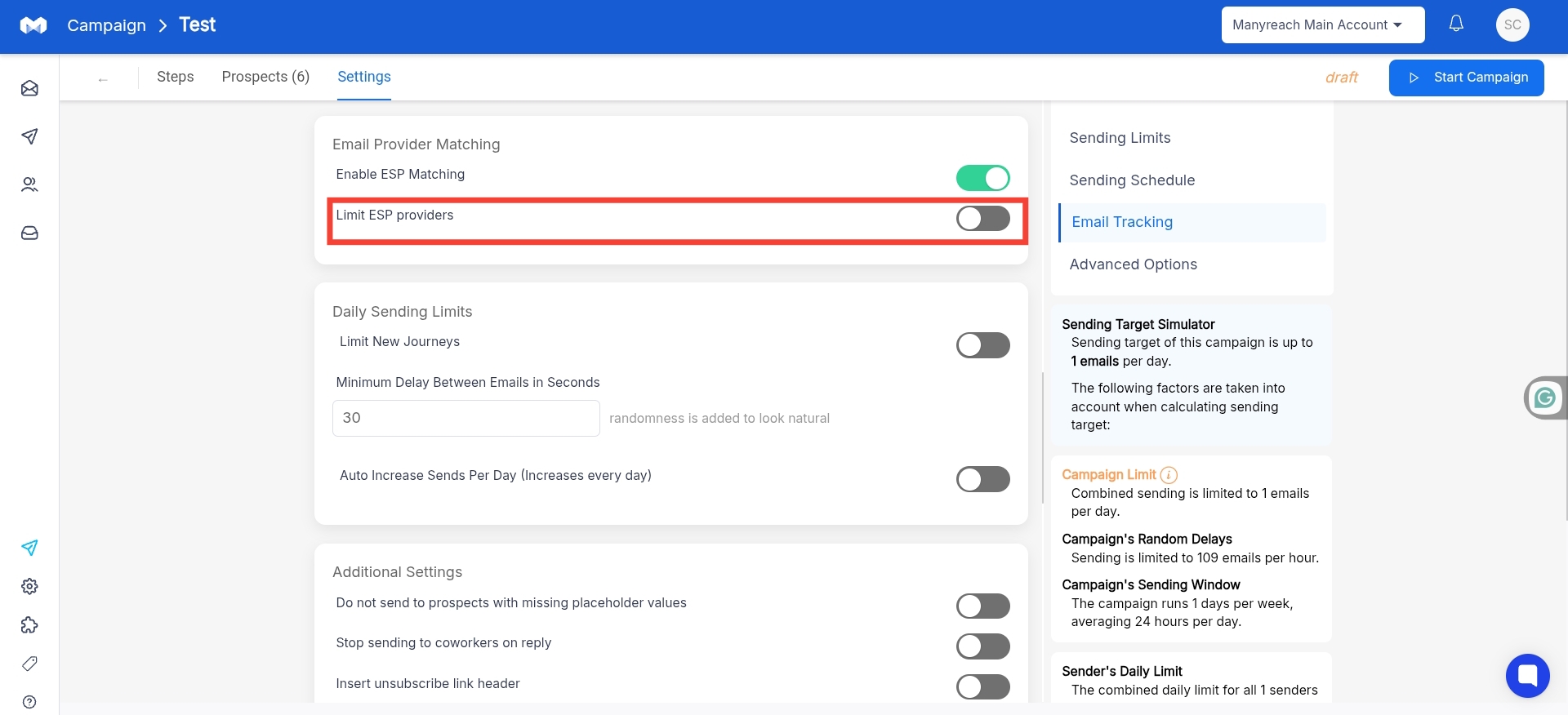
Now, all your emails will be delivered to recipients of your email providers only.