If you're trying to connect your Gmail to Manyreach but can't find the App Password option in your Gmail settings, this guide will help. Because of UI changes happening on Google’s side - many users struggle to find it through the regular menu navigation. Here's the solution.
Ensure you have Two-Factor Authentication (2FA) enabled on your Gmail account. It is required for app passwords to work.
Here's how to enable 2FA:
Go to https://myaccount.google.com
Click Security in the left sidebar
Select 2-Step Verification
Click Get Started
Follow Google's prompts to complete setup with your phone number
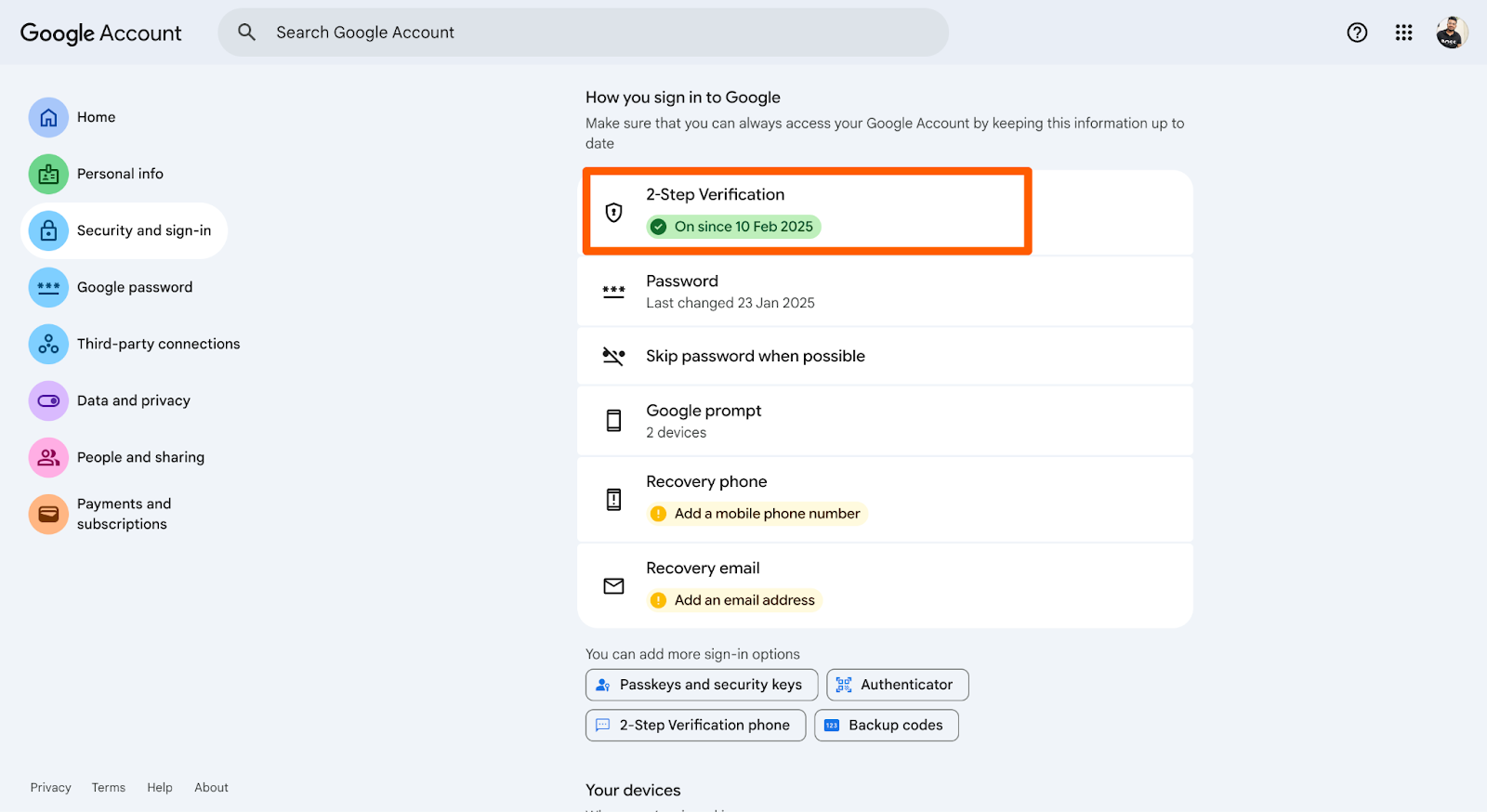
Important: After enabling 2FA, you might need to wait 5-10 minutes before moving to Step 2.
This direct link takes you exactly where you need to be:
https://myaccount.google.com/apppasswords
Click the link above, sign in if prompted, and you'll land directly on the App Passwords page.
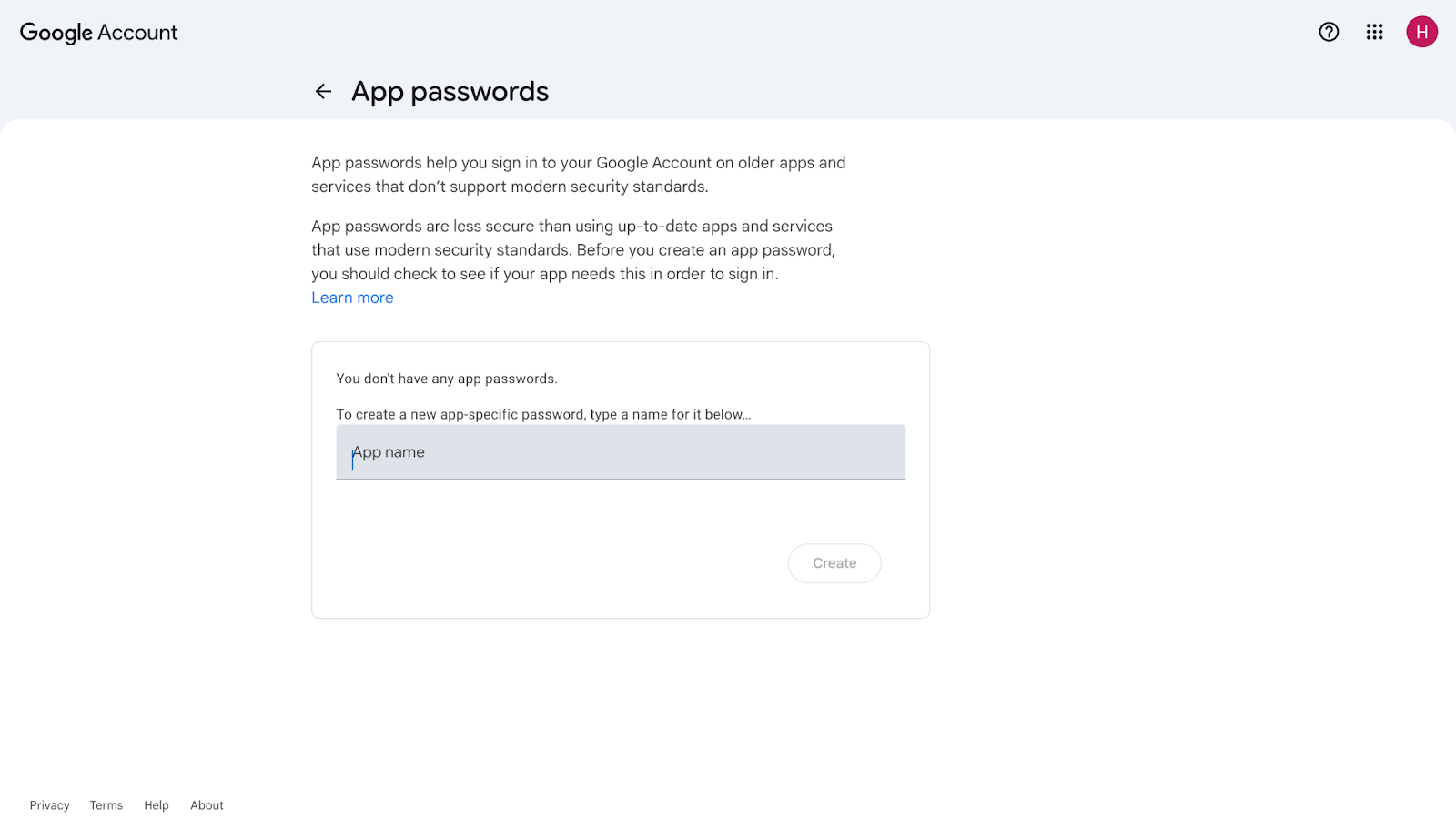
Pro Tip: Bookmark this URL. You'll thank yourself later when you need to create more app passwords.
On the App Passwords page, type "Manyreach" in the app name field
Click Create
Copy the 16-character password that appears
Save it immediately - you won't see it again
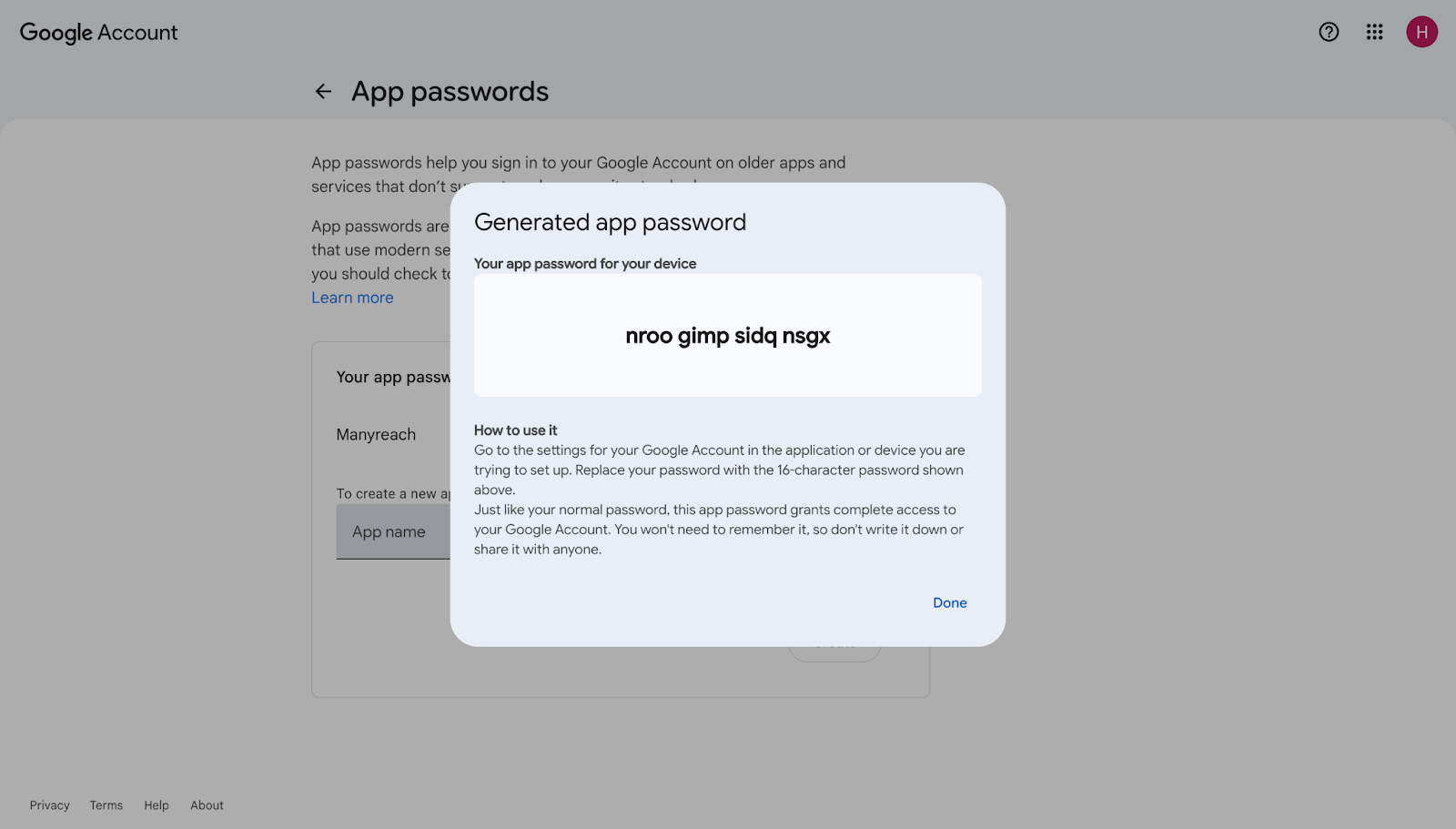
That's it! You now have your app password. 🎉🎉🎉🎉
Step 3: Connect your Gmail to manyreach
Follow this guide to understand how to connect your gmail using app password to manyreach.
When you change your main Gmail password, Google may automatically delete all your app passwords.
If you've changed your Gmail password recently:
Your Manyreach connection will stop working
You'll need to create a new app password
Just use the direct link above to generate a fresh one
Once you close the window showing your 16-character app password, you can't see it again. If you've lost it or forgot to save it, don't worry - just create a new one using the direct link.
If you are using a Google Workspace account, it is recommended to use the OAuth connection method. Although you can use the app password method to connect Google Workspace as well, But, it is not recommended to do so.
Remember: The direct link works for personal Gmail accounts. If your email is managed by your company or organization (Google Workspace), your admin might have disabled app passwords. Contact your admin if this is the case.
If this article didn't resolve your issue, please contact Manyreach support through the in-app chat or email [email protected] for personalized assistance.