
Enabling ESP matching in Manyreach is easy. So read this guide to find out how you can match ESP in your Manyreach campaign.
What is the Purpose of ESP Matching?
Email Service Providers or ESP matching optimizes deliverability for cold email outreach campaigns. It ensures that the senders provider matches the recipients’ providers, e.g., Outlook or Gmail.
This feature is important because it increases email deliverability, and inbox placements. It also reduces spams, and builds trust with the email service provider by matching natural email patterns.
How to Do ESP Matching While Starting an Outreach Campaign
Here is how you can do ESP matching while starting an outreach campaign.
1. Go to your Manyreach dashboard and select or create your campaign.
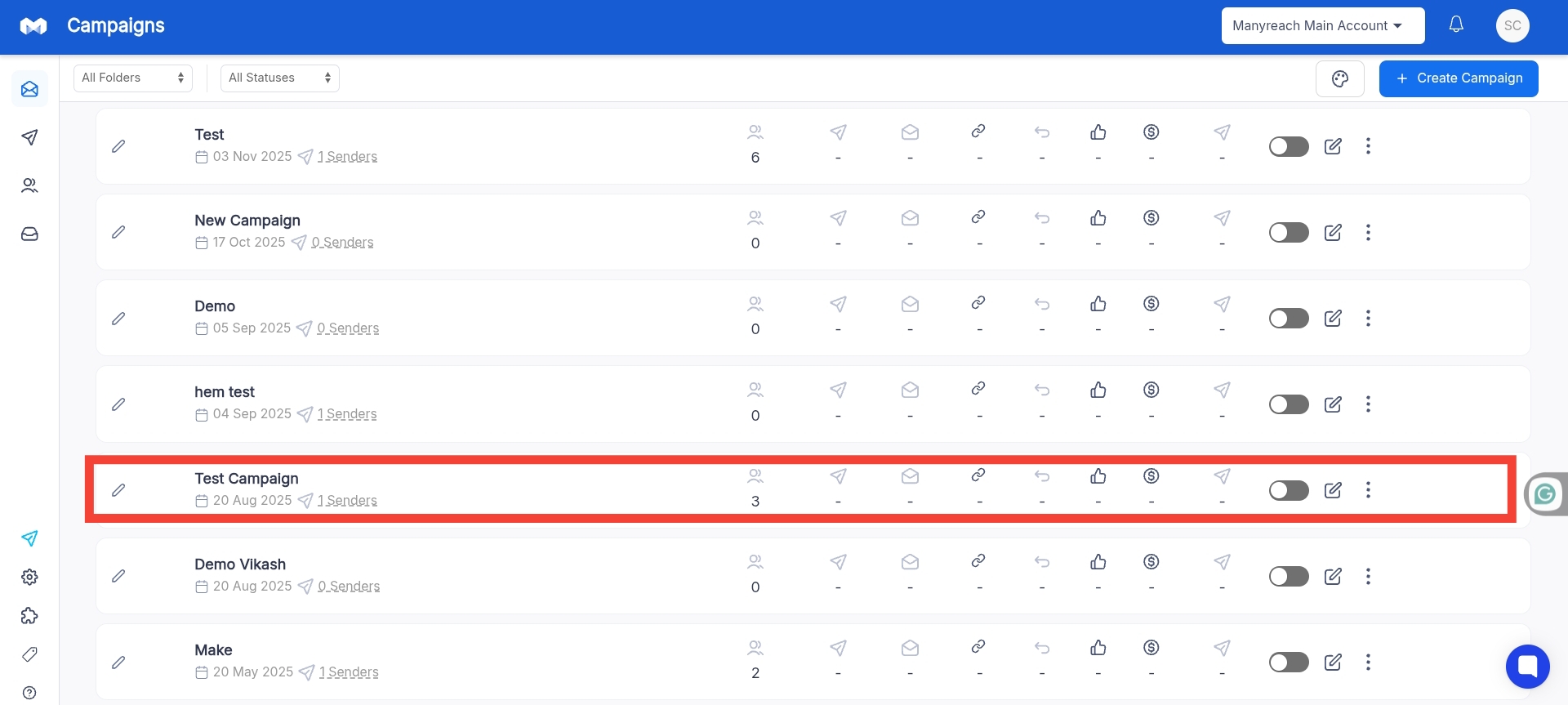
2. Once, you’re in your campaign, compose your email, add your prospects and go to the Settings section.

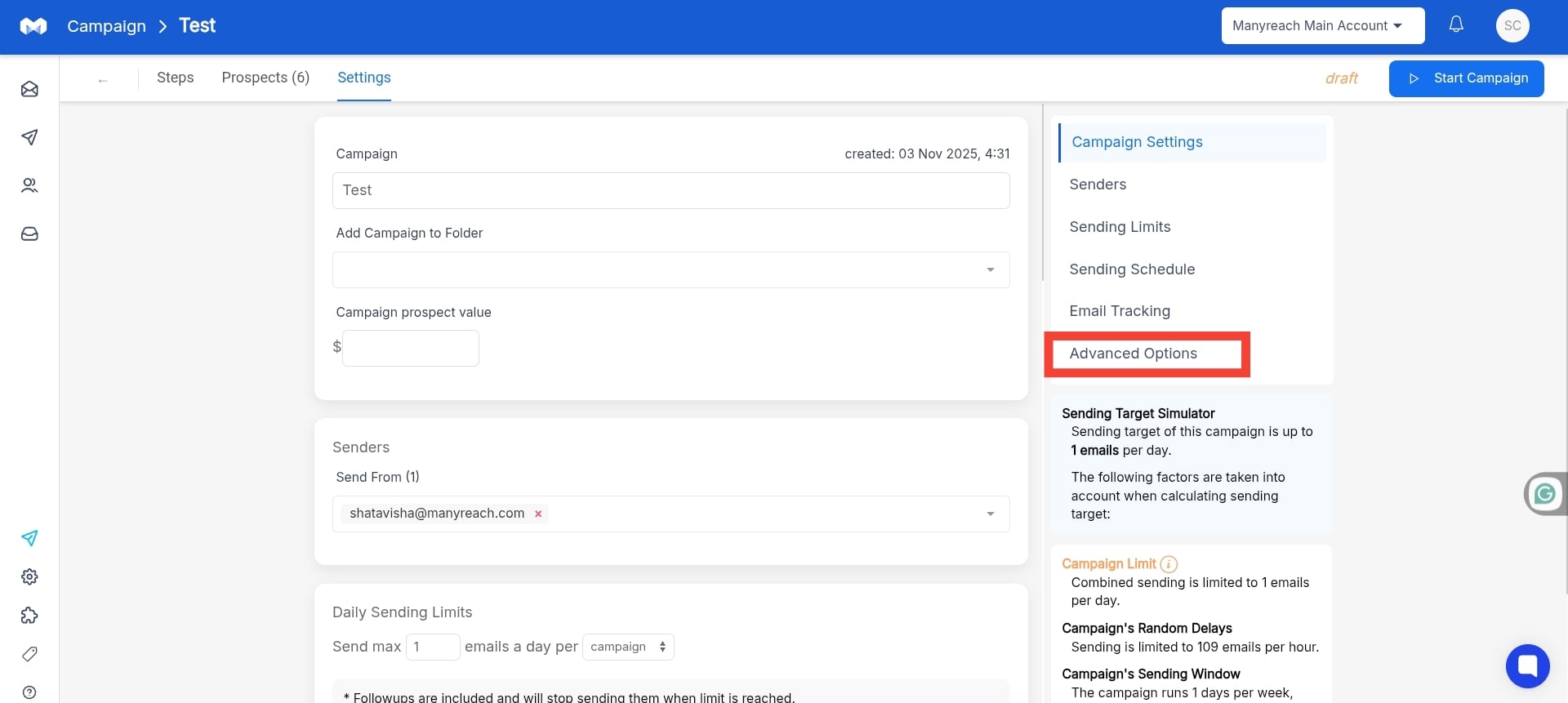
3. In the “Settings” section, find the “Advanced Settings” in the right side of the page, and go click.
4. Here, you’ll find the Email Provider Matching section, just turn on the “Enable ESP Matching” toggle.
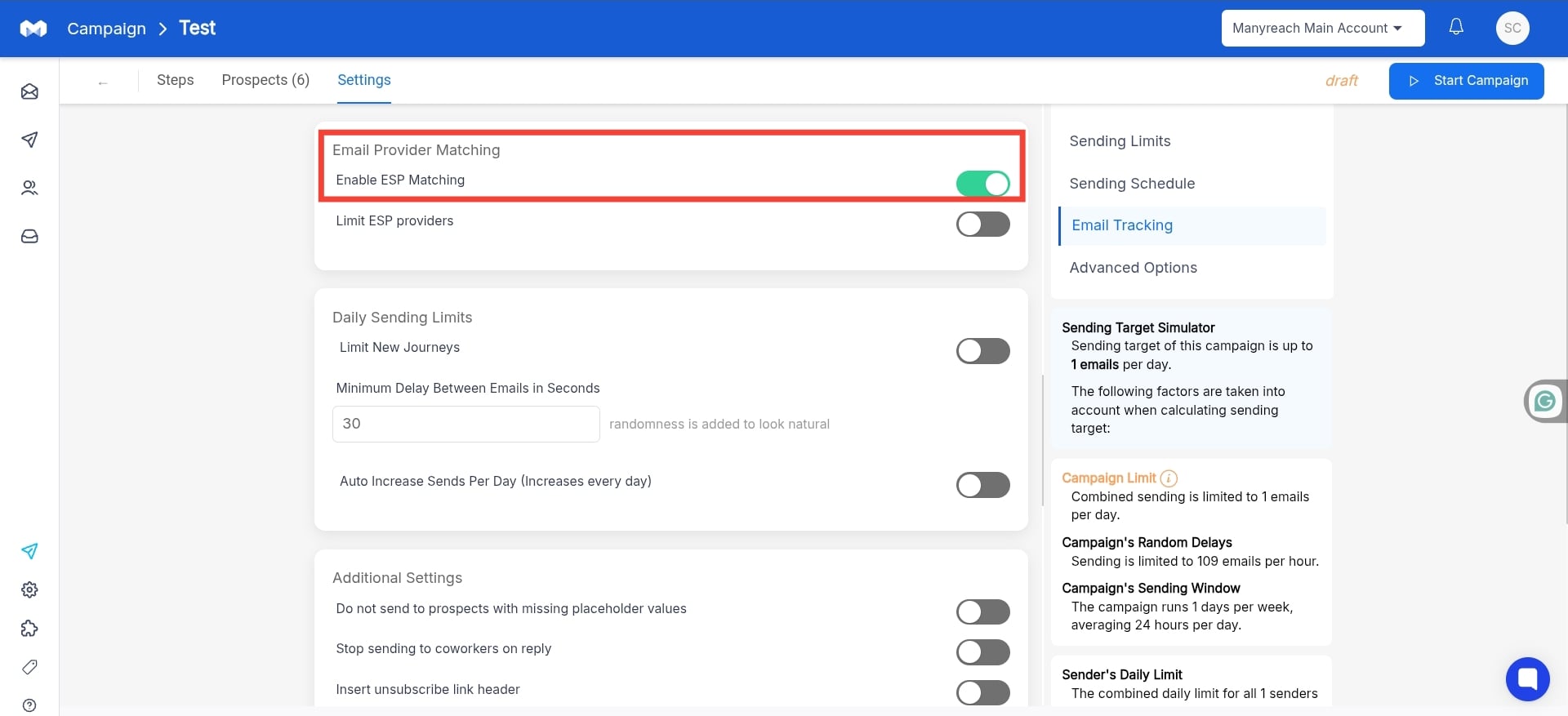
Once you turn on the “Email Provider Matching Matching” toggle your emails will match the email providers of your recipients.
If you want to know how to limit ESP matching, you can follow this article.