Search Engine is how you build lead lists from scratch. Type one query per line, and Manycrawl runs each one through Google in your browser, collects the organic results, the local pack, ads, and featured snippets, and adds each result as a new row in your table. Perfect for finding LinkedIn profiles, local businesses, competitor pages, or any list of URLs you don't already have.
When you add a SERP column, you'll see a settings panel with one query field and a few behavior toggles.
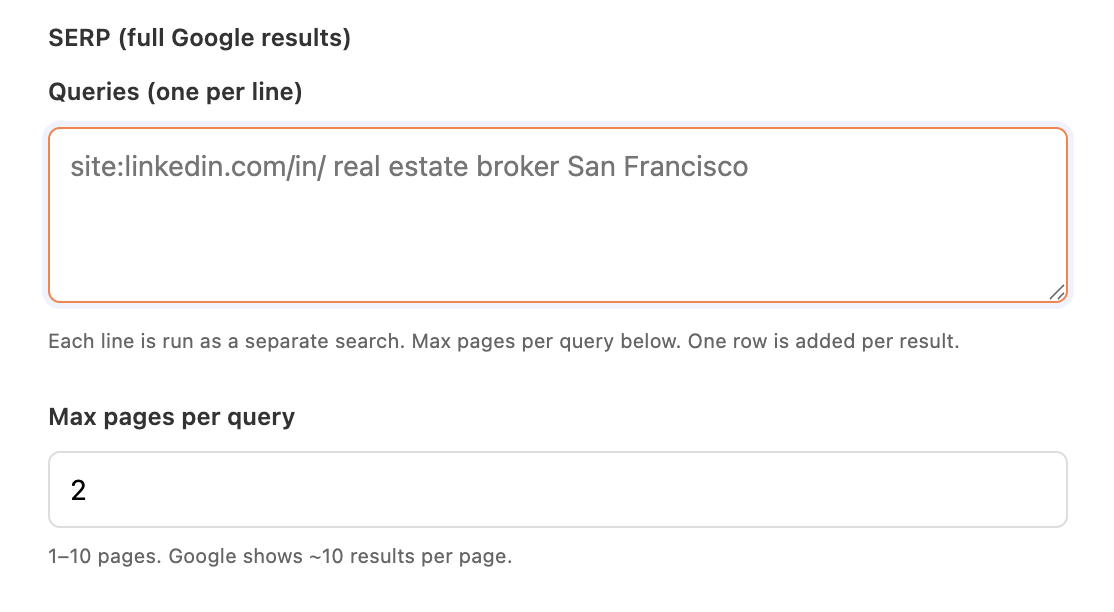
Type one Google search query per line in the textarea. Each line is run as a separate search, and one row is added to your table for every result Google returns. You can run dozens of queries at once.
Useful query patterns:
site:linkedin.com/in/ real estate broker San Francisco — find LinkedIn profiles for a specific role and city
site:instagram.com/ content creator London @gmail.com — find Instagram profiles for a specific role, city and email address when it’s available in the Bio
site:linkedin.com/in/ "head of growth" SaaS Berlin — narrower title and industry filter
site:hbr.org/ GTM — find articles on a specific page mentioning selected keyword
"best CRM for" -reddit -quora — find ranking articles while excluding aggregators
intitle:pricing site:vercel.com — pinpoint a specific page type on a known domain
Every Google search operator works here — site:, intitle:, inurl:, quoted phrases, and the minus sign for exclusions.
Controls how many pages of Google results Manycrawl collects per query. Default is 1. Range is 1–10. Google shows about 10 results per page, so:
1 page = ~10 results per query
5 pages = ~50 results per query
10 pages = ~100 results per query
More pages mean more rows in your table — and a higher chance of hitting Google's rate limits (see the CAPTCHA note below).
When enabled, new search tabs open in the foreground so you can watch them happen. When disabled (default), they open in the background and stay out of your way. Unavailable when Parallel scrapes is greater than 1.
When enabled, follow-up pages (like clicking through to page 2 of results) open in the same tab by navigating to the URL, instead of opening a fresh tab each time. Useful for keeping your Chrome window tidy on big runs. Unavailable when Parallel scrapes is greater than 1.
You want to reach Head of Sales people at SaaS companies in Berlin — but you don't have a list of them anywhere. Search Engine builds one from scratch, and three more enrichments turn it into a campaign-ready outreach file.
Step 1 — Search Engine: find the profiles
Queries:
site:linkedin.com/in/ "head of sales" SaaS Berlin
site:linkedin.com/in/ "VP sales" SaaS Berlin
site:linkedin.com/in/ "sales director" SaaS Berlin
Set Max pages per query to 2 or 3 for a deeper sweep. Hit Create and run. Each LinkedIn profile in the results becomes a new row with the URL, title (usually Name – Job Title – Company | LinkedIn), and snippet.
Step 2 — Find email by LinkedIn: get verified emails
Chain a Find email by LinkedIn column referencing the LinkedIn URL from the SERP output. Requires your Findymail key. Within a minute every row has a verified business email attached.
Step 3 — Scrape: pull each person's company website
Many LinkedIn profiles include the company URL in the snippet, or you can extract company names from the title with a Split or Analyze column and then Scrape each company site.
Step 4 — Analyze and Write: generate personalized openers
Chain an Analyze and Write column with a prompt like:
Write a one-sentence cold email opener for someone working at this company:
{Body text}
Reference something specific about what they do. Keep it under 25 words.
End result: a spreadsheet with LinkedIn URL, verified email, company context, and a personalized opener for every row — built end-to-end inside Manycrawl, exportable to CSV or pushable straight into a Manyreach campaign.
Find competitor mentions. Search "alternatives to YourProduct" or "vs YourProduct" to surface every page that compares you to someone else.
Local business prospecting. "best HVAC companies in {City}" across a list of cities gives you a ranked list of local players to research further.
Content research. Queries like intitle:"how to" {topic} pull every guide ranking for your space — useful for SEO competitive analysis or backlink outreach.
Find PR opportunities. "guest post" {industry} or "write for us" {industry} finds blogs accepting contributor submissions.
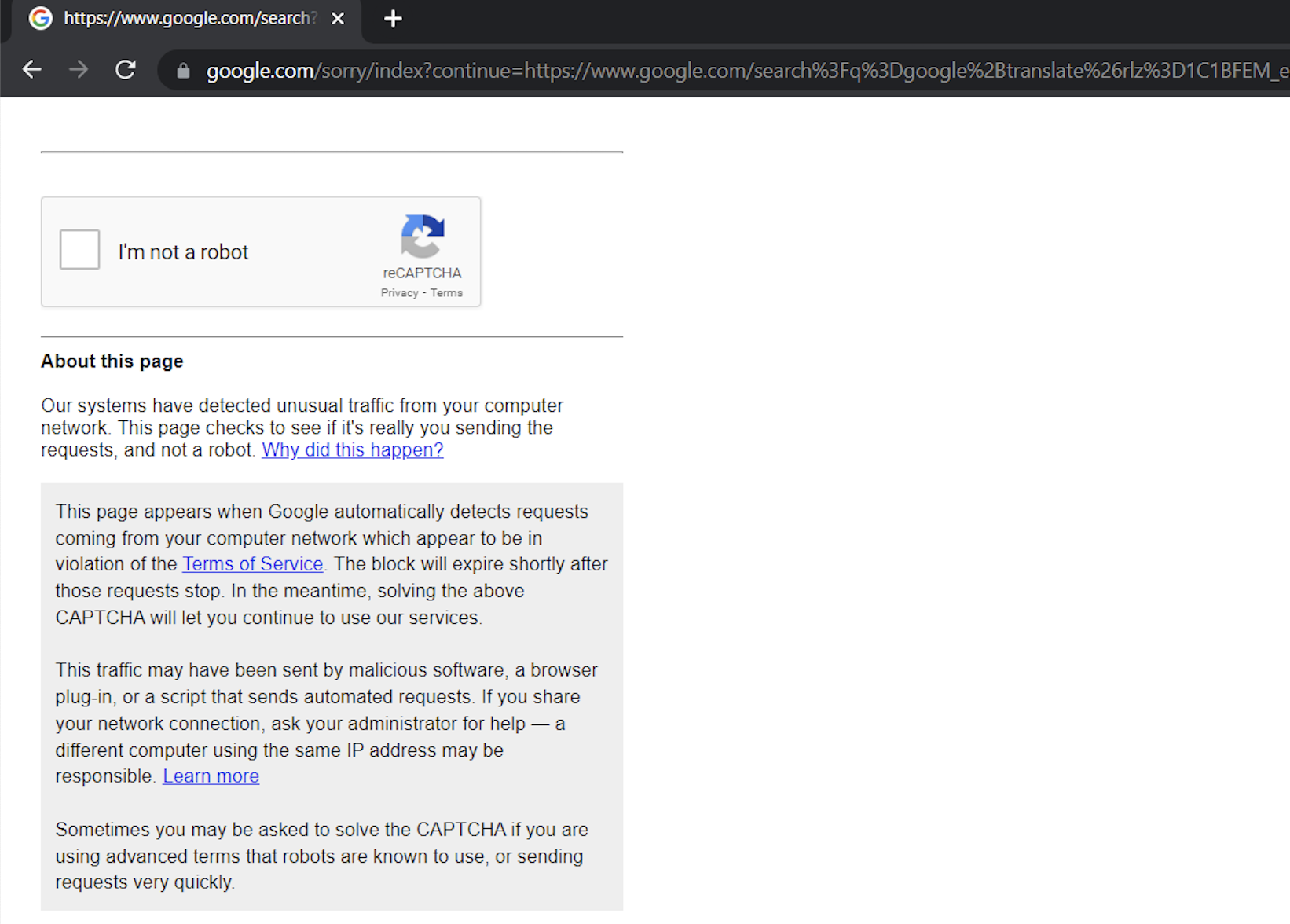
Because Search Engine sends real Google searches through your browser, Google will occasionally show a CAPTCHA — the "I'm not a robot" checkbox — if it sees a lot of searches coming from your IP in a short window. The page looks like this:
Our systems have detected unusual traffic from your computer network. This page checks to see if it's really you sending the requests, and not a robot.
This is normal and not a problem. Here's what to do:
Click the I'm not a robot checkbox.
If Google asks you to identify images, do that.
Once solved, your scrape continues from where it left off.
You typically won't see another CAPTCHA for a while — Google's system tends to give you a clean window after you verify.
A few ways to reduce CAPTCHA frequency:
Keep Max pages per query modest. 1–3 pages is usually enough; going to 10 across many queries is what trips Google's rate limits.
Spread big runs out. Instead of 200 queries at once, do 50 queries four times during the day.
Don't run other heavy Google activity in parallel. Doing manual searches in another tab while a SERP enrichment runs increases the request volume Google sees from your IP.
The CAPTCHA only ever asks for one human click — it doesn't reset your progress, lock you out, or count against any quota.
One query per line, no commas. Each newline is a separate search. Commas inside a query are treated as part of the query, not as separators.
Use Google operators aggressively. site:, intitle:, and quoted phrases narrow results faster than tweaking keywords.
Pair with Scrape for full context. SERP only gives you each result's URL, title, and snippet. Chain Scrape on the URL column to pull each result's actual page content for richer downstream enrichment.
Combine with Find email by LinkedIn or Find email by name. Search Engine + email-finder is the canonical "build a cold-outreach list from nothing" pipeline.